
Cybersecurity is no longer just an IT concern. It is a business responsibility.
Every day, small businesses rely on digital tools to communicate with customers, manage finances, store sensitive information, collaborate with employees and deliver services. These technologies make running a business easier, but they also create opportunities for cybercriminals when security is overlooked.
October is Cybersecurity Awareness Month, an annual reminder that protecting your business does not always require expensive technology, a dedicated IT department or complicated security systems.
Often, the most effective improvements begin with everyday habits.
Consider how your business operates. How many employees have access to important accounts? Are passwords being shared between team members? Do you know which applications are connected to your business systems? Would your employees recognise a convincing phishing email?
These may seem like small operational details, but they can have significant consequences.
A compromised email account could expose confidential conversations. An unapproved application could create an unexpected data security risk. A fraudulent invoice could result in money being transferred to the wrong account.
For small businesses, the consequences can extend beyond financial losses. Cyber incidents can disrupt operations, damage customer relationships, expose sensitive information and undermine the reputation a business has worked hard to build.
The encouraging news is that many common risks can be reduced through clear policies, practical tools and consistent employee awareness.
This Cybersecurity Awareness Month, we are focusing on three cybersecurity habits every small business should build, strengthen and maintain throughout the year.
1. Stop Storing Passwords on Sticky Notes and Start Managing Access Properly
Passwords are one of the most basic elements of business security, yet they are frequently one of the weakest.
In a busy workplace, convenience often takes priority.
A team member needs access to a shared account, so someone sends the password through email. A new employee receives a list of logins in a spreadsheet. A manager writes down a complicated password because they cannot remember it.
Over time, these shortcuts become normal working practices.
The problem is that insecure password storage and sharing can make it easier for unauthorised individuals to access business systems.
Why weak password habits create bigger business risks
Imagine that an employee uses the same password for their business email, a project management platform and an online shopping account.
If the shopping website experiences a data breach and that password is exposed, cybercriminals may attempt to use the same credentials to access other accounts.
This technique is known as credential stuffing.
Attackers use previously stolen usernames and passwords to attempt logins across multiple websites and services.
If an employee has reused a password, one unrelated breach could potentially lead to unauthorised access to business information.
The consequences can escalate quickly.
An attacker who gains access to a business email account may be able to read confidential messages, impersonate employees, intercept invoices, request fraudulent payments or attempt to reset passwords for other connected services.
This is why password security should be treated as an essential business process rather than an individual employee preference.
Make password managers part of your everyday operations
A password manager is one of the most practical security tools a small business can introduce.
Instead of expecting employees to remember dozens of complicated passwords, a password manager securely stores login credentials and can generate strong, unique passwords for different accounts.
Many business password managers also provide features such as controlled credential sharing, employee access management and the ability to revoke access when someone leaves the organisation.
This is particularly useful for businesses where multiple employees manage websites, social media accounts, marketing platforms, customer databases or financial systems.
Rather than sending passwords through email or messaging applications, businesses can use approved tools to manage access more securely.
However, introducing a password manager is only the beginning. Businesses should also establish clear expectations around how accounts are created, shared and maintained.
Longer, unique passwords provide better protection
A common misconception is that a secure password must contain an unusual combination of symbols, numbers and capital letters.
While password complexity can contribute to security, length and uniqueness are especially important.
For accounts where passwords must be created manually, long passphrases can be easier to remember and harder to guess than short, predictable passwords.
For most business accounts, a password manager can generate a long, random password that employees never need to memorise.
The important principle is simple: every important account should have its own unique password.
Reusing passwords creates unnecessary connections between otherwise separate systems.
Multi-factor authentication adds another layer of protection
Even strong passwords can be exposed through phishing, data breaches or other attacks.
Multi-factor authentication, commonly called MFA, adds another verification step when someone signs into an account.
Depending on the system, this might involve a passkey, security key, authenticator application or another approved verification method.
MFA significantly reduces the risk of account compromise when passwords are stolen, although not every MFA method offers the same level of protection.
Where available, businesses should prioritise phishing-resistant methods such as passkeys or security keys, particularly for email, financial and administrator accounts.
Make password security part of onboarding and offboarding
One frequently overlooked risk is what happens when employees join, change roles or leave a business.
New employees should receive access only to the accounts and systems they need.
When someone changes responsibilities, their permissions should be reviewed. When an employee leaves, business access should be removed promptly.
This includes access to shared platforms, connected applications, password vaults and any business accounts they previously managed.
Regular access reviews help prevent former employees, outdated accounts or unnecessary permissions from becoming security vulnerabilities.
What your business can do this October
- Introduce an approved business password manager.
- Replace reused passwords with strong, unique credentials.
- Enable MFA on email, financial, cloud and other important accounts.
- Review which employees have access to sensitive systems.
- Remove accounts and permissions that are no longer needed.
- Include password management in employee onboarding and offboarding procedures.
The habit to build: Make secure access management the standard way your business operates, rather than something employees handle individually.

Cybersecurity is a shared responsibility. Regular monitoring, employee awareness and proactive security measures help protect your business from digital threats.
2. Find Out Which Apps and AI Tools Your Team Is Really Using
Businesses are adopting new digital tools faster than ever.
From project management applications and cloud storage platforms to AI writing assistants, meeting transcription tools and automation software, employees have access to an enormous range of technologies designed to make their work easier.
Many of these tools offer genuine productivity benefits.
The challenge arises when employees begin using applications without the knowledge or approval of the business.
This practice is commonly known as Shadow IT.
When employees use unapproved artificial intelligence tools for business activities, the practice is often called Shadow AI.
Both can introduce risks that business owners may not even realise exist.
How Shadow IT develops in a small business
Consider a small marketing or professional services business.
One employee signs up for an AI meeting assistant to automatically transcribe client calls.
Another uses a free file-sharing application because it is easier than the company’s approved system.
Someone else uploads a spreadsheet to an online AI tool to help analyse customer information.
A team member connects a new automation application to the business email account to save time.
Individually, these decisions may appear harmless.
In most cases, employees are not intentionally putting the business at risk. They are simply looking for faster or more convenient ways to complete their work.
However, when these tools are introduced without review, the business may lose visibility over where information is stored, who can access it and how it is being used.
The hidden risks of unapproved applications
1. Sensitive business information may be exposed
Employees may unknowingly upload confidential documents, customer records, financial information or internal communications into applications that have not been assessed for security or privacy.
Depending on the tool and its settings, information may be retained, processed by third-party providers or transferred between systems.
Not every AI application handles business data in the same way.
Businesses need to understand the privacy terms, retention policies, access controls and data-processing arrangements of the tools they approve.
2. Connected applications can create unexpected access
Many online tools request permission to connect with business accounts.
An application might ask to read emails, access cloud storage, view calendars or manage information within another platform.
These integrations can be useful, but granting unnecessary permissions can increase security risks.
An employee may forget about an application long after they stop using it, while the connection remains active.
Regularly reviewing connected applications helps businesses identify and remove unnecessary access.
3. Unused subscriptions create unnecessary costs
Shadow IT is not only a cybersecurity concern.
It can also affect operational efficiency and financial management.
Different employees may subscribe to tools that perform similar functions. Monthly charges can continue for applications that are rarely used.
Without a clear overview of subscriptions, businesses may spend money on overlapping services while missing opportunities to simplify their technology systems.
4. Compliance responsibilities become harder to manage
Businesses that handle personal information may have legal and contractual responsibilities relating to how that information is collected, stored, processed and shared.
Depending on the business and its jurisdiction, these responsibilities may include obligations under privacy and data protection laws such as the GDPR.
If employees use unapproved tools to process customer or employee information, the business may struggle to demonstrate appropriate oversight.
This makes application visibility an important part of responsible data management.
AI tools deserve particular attention
Artificial intelligence is becoming part of everyday business operations.
Employees use AI to draft communications, summarise meetings, research topics, organise information, generate content and analyse data.
These applications can save valuable time, but businesses should establish clear rules around their use.
For example, an employee might paste a customer complaint into an AI assistant to help draft a response.
If that complaint contains personal information, account details or confidential business information, the employee may be sharing data with a third-party service without appropriate approval.
The issue is not necessarily the use of AI itself.
The issue is using AI without understanding what information is being shared and how the tool handles it.
Businesses should distinguish between approved AI applications and tools that have not been reviewed.
Employees should also know what types of information are appropriate to use in approved systems and what must remain confidential.
Start with a judgment-free technology review
One of the simplest ways to improve visibility is to ask employees what they actually use.
Rather than approaching the conversation as an investigation into wrongdoing, position it as an opportunity to make the business more efficient and secure.
Ask questions such as:
- Which applications help you complete your work?
- Are you using any AI tools for writing, research, analysis or meetings?
- Have you created accounts using your business email address?
- Which applications have access to company files, email or calendars?
- Are there tools we pay for but rarely use?
- Are there approved systems that are difficult to use or missing important features?
The answers may reveal opportunities to improve workflows as well as reduce security risks.
Create a simple approval process for new tools
Small businesses do not necessarily need a complicated technology governance framework.
A short, clearly documented approval process can make a meaningful difference.
Before adopting a new application, consider whether it serves a genuine business need, what information it will access, what permissions it requires and whether an existing approved tool can perform the same function.
For AI tools, also review how submitted data is handled and whether appropriate business privacy controls are available.
Once approved, add the tool to a central register showing who owns it, what it is used for and when it should next be reviewed.
What your business can do this October
- Ask employees to identify the applications and AI tools they currently use.
- Create a central list of approved business software.
- Review connected applications and third-party permissions.
- Cancel unused or duplicate subscriptions.
- Establish clear rules for sharing information with AI tools.
- Create a simple process for requesting approval of new applications.
- Review approved tools periodically as business needs change.
The habit to build: Maintain visibility and control over the technology your business relies on, while making it easy for employees to request useful new tools.
3. Think Before You Click: Make Phishing Awareness an Everyday Skill
Not every cyberattack begins with sophisticated software or someone breaking through a technical security system.
Many attacks begin with a message.
An email. A text. A social media notification. A request that appears to come from a trusted colleague.
Cybercriminals often exploit human behaviour by creating messages that encourage people to act quickly, share information or bypass normal procedures.
This approach is known as social engineering.
One of its most common forms is phishing.
Phishing messages are designed to trick recipients into revealing sensitive information, opening malicious attachments, visiting fraudulent websites or taking actions that benefit an attacker.
For small businesses, phishing can lead to compromised accounts, fraudulent payments, data exposure and operational disruption.
Why phishing messages can be so convincing
Phishing attacks are not always easy to identify.
While some messages contain obvious spelling errors or suspicious formatting, others closely resemble legitimate business communications.
Attackers may copy company branding, impersonate familiar contacts or refer to real business activities.
For example, an employee might receive an email appearing to come from a supplier.
The message explains that the supplier has changed bank accounts and requests that the next payment be sent to new details.
Everything about the email may appear normal.
The supplier’s name is familiar. The invoice amount is correct. The payment is expected.
However, if the message is fraudulent and the employee updates the payment details without independent verification, the business could transfer money directly to a criminal.
This type of fraud is commonly associated with business email compromise.
It demonstrates why cybersecurity awareness must extend beyond recognising suspicious links.
Employees also need to recognise unusual requests, changes in established procedures and attempts to create unnecessary urgency.
Three warning signs every employee should recognise
1. Unusual urgency or pressure
Phishing messages often attempt to make recipients act immediately.
Examples include:
“Your account will be suspended today.”
“Payment must be completed within the next hour.”
“I need you to handle this urgently. I’m in a meeting.”
Urgency is not proof that a message is fraudulent, but unexpected pressure should encourage additional verification.
2. Requests for sensitive information or unexpected action
Employees should be cautious when asked to provide passwords, authentication codes, financial information or confidential documents.
The same applies to unexpected requests to download files, approve sign-in prompts, change payment details or access unfamiliar websites.
A legitimate-looking message can still contain a fraudulent request.
3. Sender details that do not match expectations
A display name alone is not reliable proof of identity.
Attackers may use email addresses that resemble genuine business domains or compromise legitimate accounts.
Employees should inspect sender details carefully, but they should also understand that even a familiar email address does not guarantee a request is safe.
When a request is unusual or sensitive, verification through a separate, trusted communication channel is the safer approach.
AI is making social engineering more sophisticated
Artificial intelligence has made it easier to create polished, convincing messages.
Attackers can generate professional emails, imitate communication styles and produce messages with fewer obvious spelling or grammar mistakes.
AI-generated voice impersonation and other deceptive techniques can also make fraudulent requests appear more credible.
This means employees should not rely solely on how professional or familiar a message sounds.
Instead, they should focus on the action being requested and whether it follows established business procedures.
Build a pause, verify and report routine
An effective phishing awareness programme does not need to be complicated.
Employees should know how to respond when something feels unusual.
Pause. Before clicking a link, downloading a file, sharing information or approving a payment, consider whether the request is expected.
Verify. If a message requests sensitive information, account access or financial changes, confirm it using a known telephone number, existing contact method or approved internal communication channel. Do not rely on contact details supplied in the suspicious message.
Report. Notify the appropriate team member or IT support contact when a suspicious message arrives.
Reporting is particularly important because the same fraudulent message may have been sent to several employees.
Early reporting can help a business warn others, investigate the threat and prevent further exposure.
Create a culture where employees feel comfortable speaking up
Cybersecurity awareness is not just about teaching employees to recognise suspicious messages.
It is also about creating an environment where people feel comfortable asking questions and reporting concerns.
Employees should never feel that reporting a suspicious email will automatically result in criticism or embarrassment.
If someone accidentally clicks a suspicious link or shares information, early reporting can make a significant difference to the response.
Businesses should make it clear who employees should contact, what information they should provide and what steps to take when they suspect something has gone wrong.
A supportive reporting culture can help organisations identify incidents sooner and respond more effectively.
What your business can do this October
- Share examples of common phishing and social engineering attempts.
- Remind employees to verify unexpected payment or account changes.
- Establish an easy way to report suspicious messages.
- Provide short, practical awareness sessions throughout the year.
- Make independent verification mandatory for sensitive financial requests.
- Encourage employees to report mistakes immediately.
- Review email security protections with your IT provider.
The habit to build: Make pausing, verifying and reporting a normal part of business communication.
Cybersecurity Is Also About Protecting Customer Trust
When businesses think about cybersecurity, they often focus on the technical consequences of an attack.
Systems may become unavailable. Information may be exposed. Money may be lost.
However, there is another consequence that deserves attention: the effect on customer confidence.
Customers trust businesses with their contact details, financial information, private communications and sometimes highly sensitive personal data.
They expect that information to be handled responsibly.
A cybersecurity incident can create uncertainty about whether a business is capable of protecting the information entrusted to it.
For a small business, where customer relationships and reputation are often central to growth, rebuilding that confidence can be difficult.
This is why cybersecurity should be viewed as part of overall business professionalism.
Clear internal processes, responsible technology use, employee awareness and consistent communication all contribute to a more trustworthy organisation.
Customers may never see your password management policies or your application approval process.
But those behind-the-scenes practices help protect the relationships your business depends on.
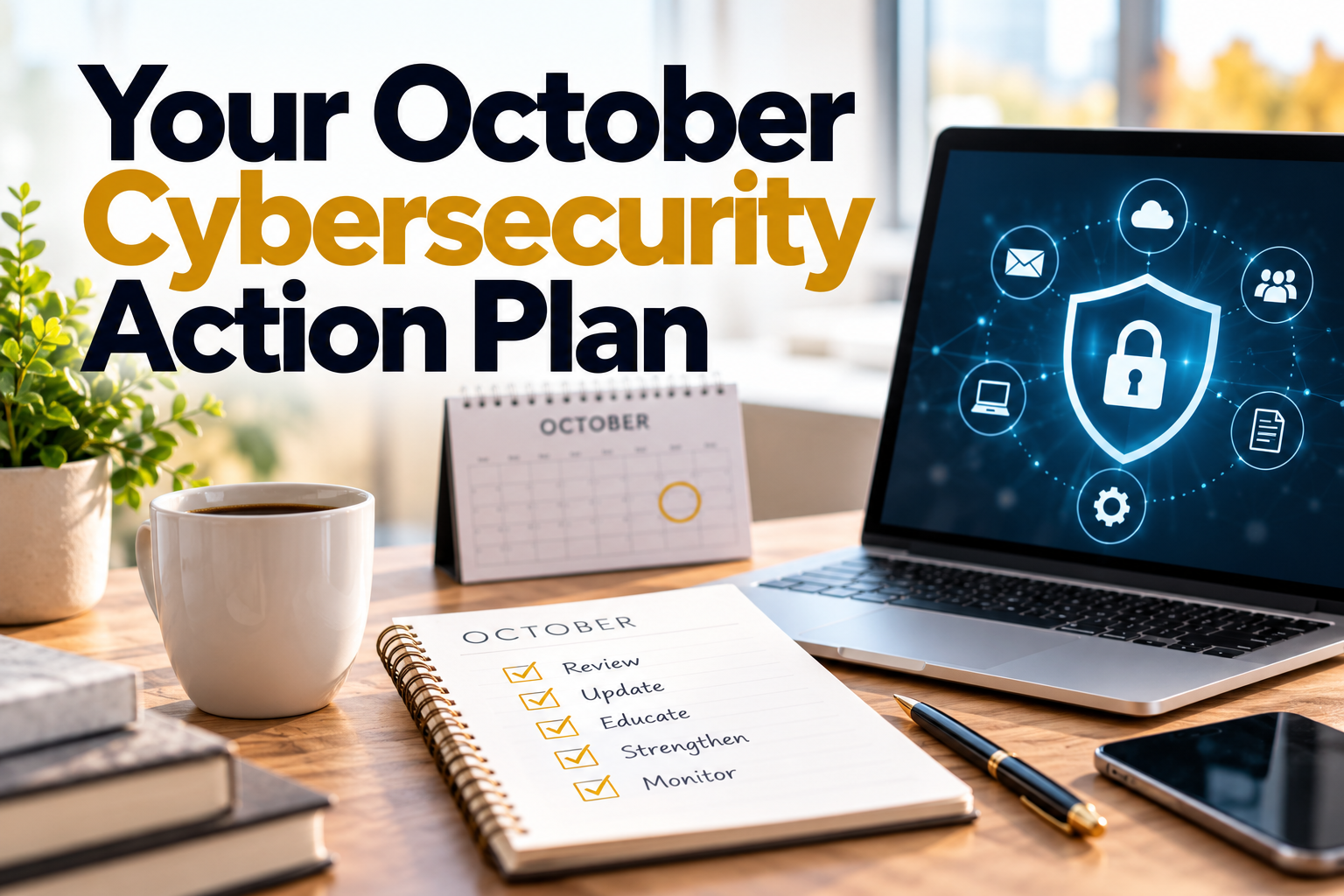
Your October Cybersecurity Action Plan: Five practical steps to strengthen your business security, protect sensitive information and reduce cyber risks.
Cybersecurity improvements are easier to maintain when they are broken into manageable steps.
Rather than attempting to overhaul every system at once, use Cybersecurity Awareness Month to establish a practical starting point.
Week 1: Review passwords and account access
Identify the accounts that are most important to your business.
Prioritise email, banking, cloud storage, financial software, customer databases and administrator accounts.
Introduce or review your password manager, enable MFA and remove unnecessary access.
Week 2: Audit your applications and AI tools
Ask employees to list the tools they use.
Review existing subscriptions, connected applications and the information being shared with external services.
Identify unapproved or unnecessary applications and decide which tools should remain part of your approved business systems.
Week 3: Strengthen phishing awareness
Share examples of suspicious emails and messages with your team.
Discuss how attackers use urgency, impersonation and unexpected requests.
Make sure employees understand how to independently verify sensitive requests and report concerns.
Week 4: Document your policies and make them sustainable
Turn what you have learned into a simple set of internal guidelines.
Document how passwords are managed, how new applications are approved, what information can be shared with AI tools and how suspicious activity should be reported.
Assign responsibility for reviewing these processes and include them in employee onboarding.
The objective is not to complete a cybersecurity exercise in October and forget about it in November.
It is to build habits that continue protecting the business throughout the year.
Small Business Cybersecurity Checklist
Use this checklist as a starting point for conversations with your team.
Password and account security
- We use an approved password manager.
- Important business accounts have unique passwords.
- MFA is enabled wherever supported, especially for critical accounts.
- Employees have access only to the systems they need.
- Access is removed promptly when employees leave.
Applications and AI tools
- We know which applications our employees use.
- We maintain a list of approved business tools.
- We review third-party application permissions.
- Employees understand what information they can share with AI tools.
- New applications go through a simple approval process.
Phishing and employee awareness
- Employees know the warning signs of phishing.
- Sensitive financial requests require independent verification.
- Everyone knows how to report suspicious messages.
- Employees are encouraged to report mistakes quickly.
- Cybersecurity awareness is reinforced throughout the year.
These habits are an important foundation, but they are not a complete cybersecurity programme. Businesses should also work with qualified IT or cybersecurity professionals to review software updates, backups, device protection, recovery procedures and other technical safeguards.
Cybersecurity Awareness Month Is a Starting Point, Not a Deadline
Cybersecurity does not have to be overwhelming.
For many small businesses, meaningful progress begins with a few straightforward questions.
Are we managing our passwords securely?
Do we know which tools have access to our information?
Would our employees recognise and report a suspicious request?
The answers can reveal practical improvements that reduce risk without creating unnecessary complexity.
Strong cybersecurity habits are built through consistency. They depend on clear expectations, responsible leadership, appropriate technology and employees who understand their role in protecting the business.
The goal is not to make every employee a cybersecurity expert. It is to make secure behaviour a natural part of how your business operates.
This October, choose three habits to strengthen and make them part of your everyday processes.
Because protecting your business is not just about avoiding cyberattacks. It is about protecting your people, your customers, your operations and the trust you have worked hard to earn.
Helping Businesses Communicate What Matters
At Strategic Results Marketing, we understand that effective communication is essential to building awareness, strengthening trust and helping businesses operate with greater clarity.
Whether you are communicating important updates to your employees, educating customers or creating useful content for your audience, the way information is presented matters.
Cybersecurity is one example of a topic where clear, practical communication can help people understand risks and take meaningful action.
We help businesses develop content and communication strategies that make important information accessible, relevant and actionable.
Need help communicating more clearly with your audience?
Get in touch with Strategic Results Marketing to discuss how we can help strengthen your business communications and digital presence.
Further Reading and Cybersecurity Resources
For additional guidance, explore these trusted resources:
- Cybersecurity and Infrastructure Security Agency (CISA) — Practical advice on strong passwords, MFA, phishing awareness and software updates.
- National Institute of Standards and Technology (NIST) — Cybersecurity guidance and resources designed for small businesses.
- National Cybersecurity Alliance — Cybersecurity awareness resources, educational materials and advice for individuals and organisations.
- UK National Cyber Security Centre — A practical small business guide covering essential cybersecurity protections.
This article provides general cybersecurity awareness information and is not a substitute for a professional security assessment or legal advice.